

Tour dates
Your dates belong somewhere you own
Add a show once and your website has it, with tickets, times, and states that stay right as the run changes. For self-managed musicians, artists, and DJs.
Enter it once
The run you type is the run they see
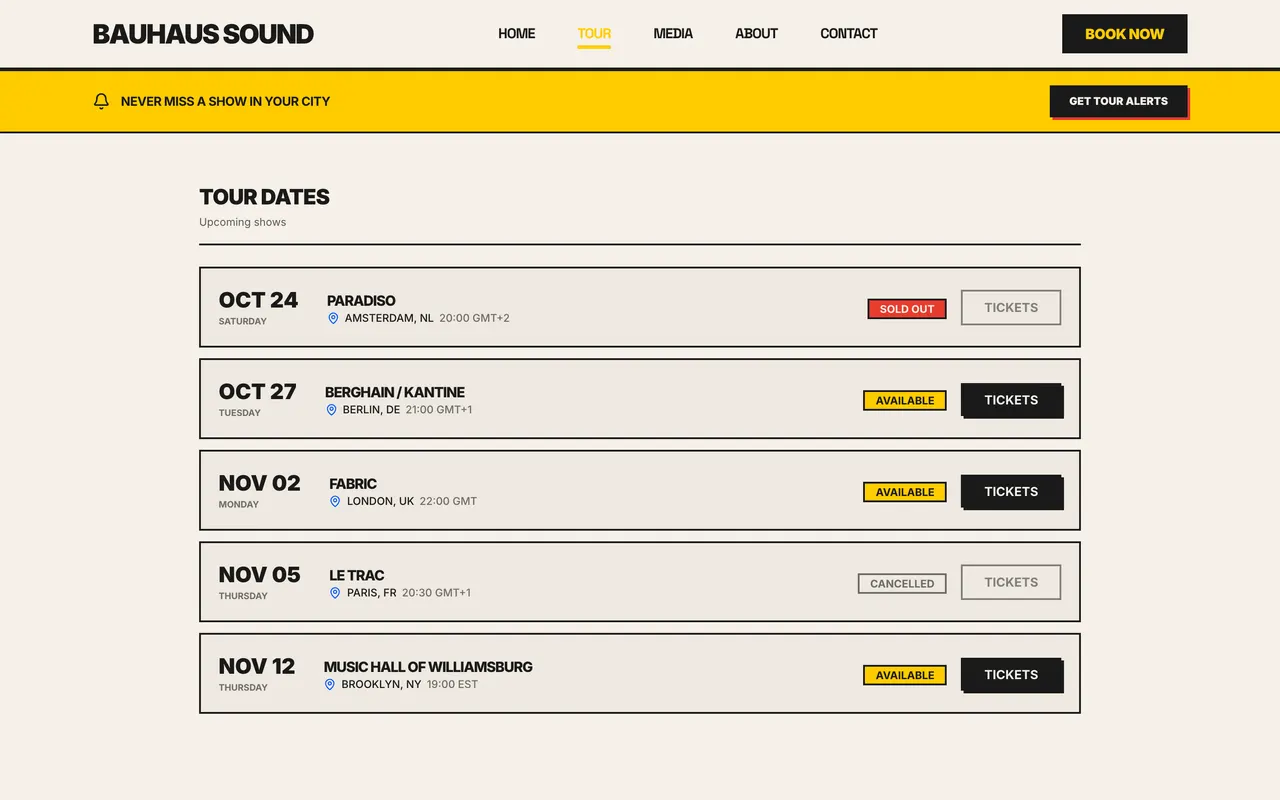
Add a show in the dashboard and your website has it. No second copy of the routing to keep in step when a date moves.
- The tour section of your site reads the same dates you just saved
- Ticket links, sold out, and canceled states carry across on their own
- A show that has happened leaves the upcoming list without being deleted
Every detail a real show has
A gig is not a line of text. Every detail you would text a promoter has a field here, including whether the date is public yet.
- Door, show, set, and end times, kept per date
- Venue, address, city, region, country, and capacity
- Age restrictions, lineup, and per-date website visibility
A residency is one entry, not twelve
Weekly nights, monthly residencies, and multi-date runs are created once. Every date stays editable, so a moved week never means rebuilding the run.
- Set a frequency and a number of occurrences, once
- Table view for the run, calendar view for the month
- Attach a flyer to any date and show it on your site
The show you played becomes the invoice you send
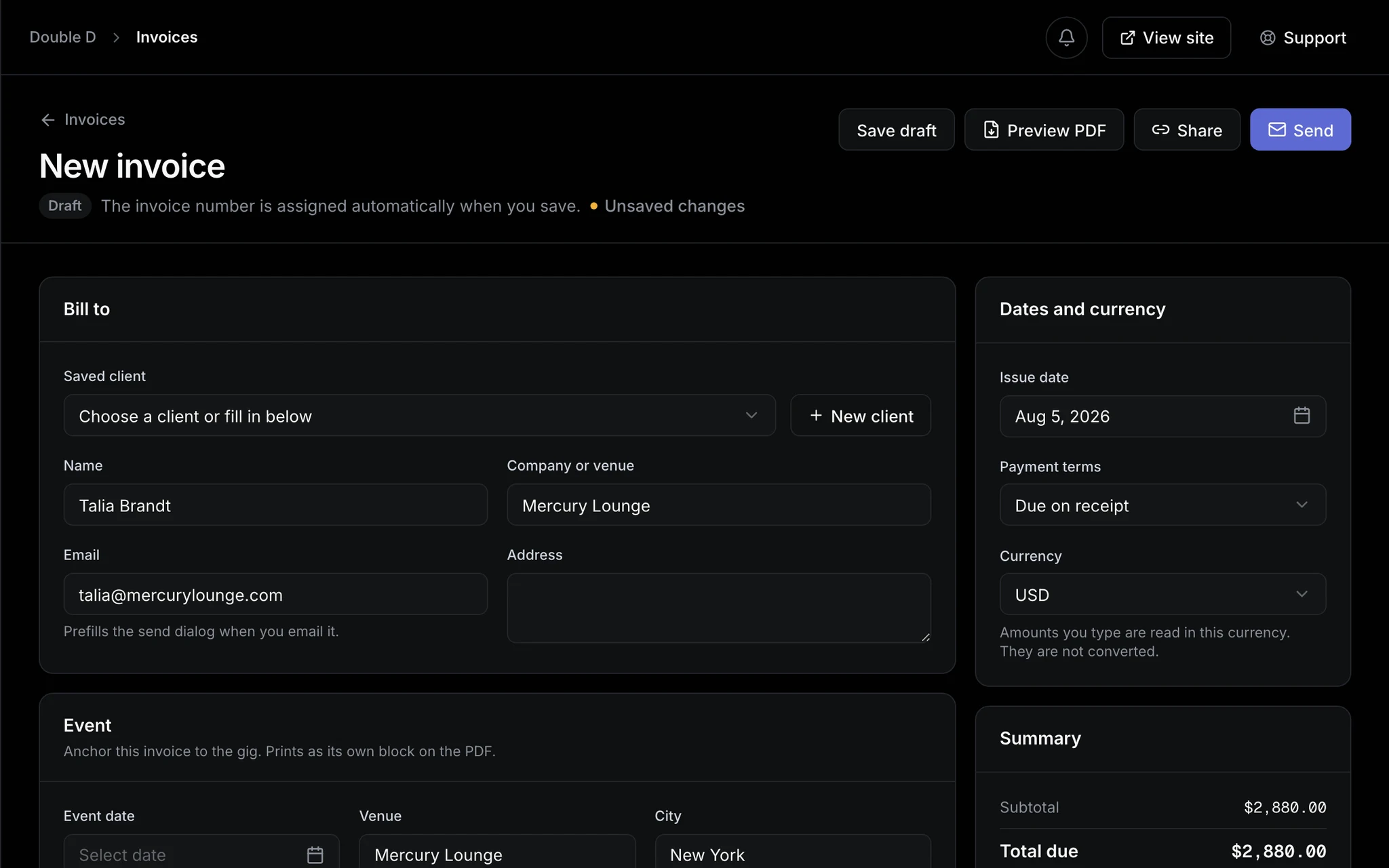
A show already knows the venue, the city, and the night. Turn it into an invoice without retyping any of it.
- An invoice built from the date, the venue, and the city
- Billed to a promoter already in your contact list
- A reminder timed to the end of your set, in the venue’s timezone
The record
Your touring history, counted
A running total of what you have actually played, for the next time somebody asks what you have done.
Shows, cities, countries
Total shows, what is still upcoming, and how many cities and countries you have played.
The music behind the dates
The releases you are touring live in the same dashboard, imported rather than typed in.
Explore the catalogFAQ
Tour date questions, answered
Do tour dates really update my site instantly?
Yes. Your tour page reads the same dates you manage in the dashboard, so saving a show puts it on your site straight away. There is no separate publish step to forget.
What happens to a show once it has been played?
It archives itself out of the upcoming list and into your history, still counting toward your total shows, cities, and countries. Nothing is deleted, and the count only goes up.
Can I mark a show sold out or canceled?
Both, with one toggle each. A sold out show keeps its place, stops offering tickets, and quietly brags. A canceled one is clearly marked rather than vanishing like it never happened.
Does it handle residencies and weekly club nights?
Yes. Set a frequency and a count, and the whole run is created at once. Each date stays individually editable, so one moved week never means rebuilding twelve.
What can I record about a show?
Event type, door, show, set and end times, venue, address, city, region, country, capacity, ticket link, age restriction, lineup, and a description, with per-date website visibility.
Can I put a flyer on a date?
Yes. Assign artwork to any show and it appears with that date on your site, with one setting for whether flyers show by default.
Is this on the free plan?
Yes, on every account including Free. Paid plans add more pages, a custom domain, and the invoicing that runs off these same dates.
Put the run on your own site
Tour dates come with every account, including Free. Add your next show and watch your tour page write itself.